

DSC Rollback Prefix
Using the PowerG Rollback Prefix: Unlock Compatibility with Older DSC Panels
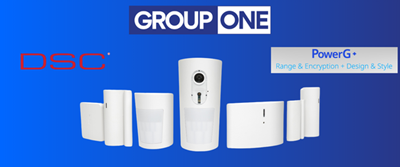
DSC has recently updated many of their popular PowerG and PowerG+ sensors, but what happens when a customer's existing panel predates native support for the latest generation of devices? Rather than forcing a panel upgrade, DSC provides a solution built right into the sensors themselves: the rollback prefix. Understanding how to use it can save your dealers time, reduce installation costs for end users, and open a wider sales opportunity across your customer base.
What Is the Rollback Prefix?
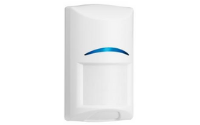
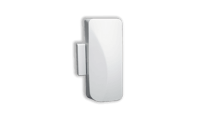
When DSC releases new generations of PowerG sensors, they sometimes introduce firmware or protocol revisions that older panels cannot recognize out of the box. The rollback prefix is a special enrollment code entered during the pairing process that instructs the sensor to communicate using an earlier protocol version, essentially making the new device "speak the language" of the older panel. This means sensors like the latest PowerG+ PIR detectors or door/window contacts can be enrolled and operated on panels such as earlier versions of the PowerSeries Neo or similar PowerG-compatible systems, even if those panels haven't received a firmware update to support the newest sensor generation natively.
How to Apply the Rollback Prefix
The process is straightforward, but it must be performed correctly at the time of enrollment. Here's an overview:
- Identify the correct prefix for your sensor model. DSC's technical documentation and the sensor's installation sheet will specify the rollback prefix code for each device. The prefix typically consists of one or two digits prepended to the sensor's enrollment ID or serial number.
- Enter enrollment mode on the panel. Access the installer programming menu and navigate to the wireless zone enrollment section, just as you would for any standard PowerG device.
- Input the prefix + serial number. When prompted to enter the sensor ID, key in the rollback prefix followed by the sensor's serial number. Some panels allow you to walk-test the device and auto-enroll the ID, but for rollback compatibility you will generally need to enter the code manually.
- Confirm the zone type and verify operation. Once enrolled, assign the appropriate zone type and run a full function test to confirm the sensor is communicating correctly with the panel.
Important Considerations
While the rollback prefix is a powerful compatibility tool, there are a few limitations your dealers should keep in mind. Using the rollback prefix may disable certain advanced features that are exclusive to the newer protocol, for example, some enhanced diagnostic reporting or tamper detection nuances available in PowerG+ devices may not be passed through to an older panel that lacks the firmware to interpret them. The core security functionality (alarm signaling, supervision, encryption) remains intact, but it's worth setting appropriate expectations with end users. Additionally, always verify that the panel's own firmware is at the most current version available for that hardware generation before falling back to the prefix workaround. A simple panel firmware update may resolve the incompatibility without needing the prefix at all.
The rollback prefix is a practical, field-tested solution that gives installers flexibility without compromising security. By training your dealer network on this feature, you position them to confidently offer the latest DSC sensors to a much broader installed base, turning what might seem like a compatibility barrier into a straightforward upsell opportunity.